Thallo vs Empower Personal Dashboard
Empower Personal Dashboard is a free money app built around linking US banks and brokers. Once they're linked, you get net worth, budgeting and cash flow, portfolio analysis and a retirement planner in one place.
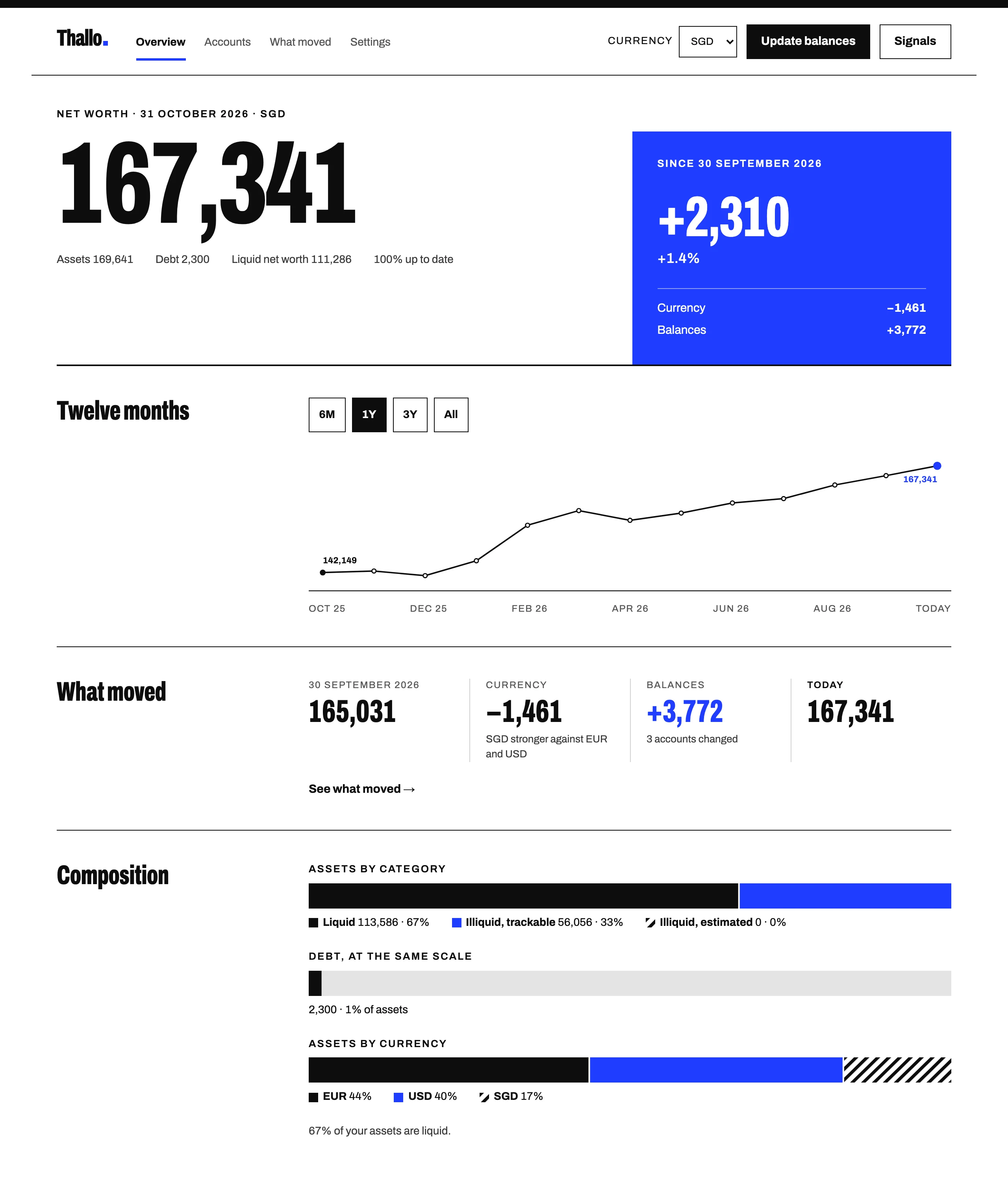
Thallo is a net worth tracker for every account you have, wherever it is. You add each one in its own currency, from a Danish pension to a Singapore savings account or a car. Thallo shows the total in the currency you choose, along with what changed it.
Empower's support pages say you can use the dashboard from anywhere, but you can only link US institutions in US dollars, and you need a valid US phone number to sign up. Accounts elsewhere go in as manual accounts.
Side by side
From Empower's site and App Store listing, 5 November 2026.
| Thallo | Empower Personal Dashboard | |
|---|---|---|
| Multi-currency net worth | Yes, with daily rates from central banks and official sources | Linking supports US institutions in USD only. Other accounts can be added by hand. Conversion is not stated on their site |
| Handles property, cars, art | Yes, as your own estimate | Yes. Home value through Zillow's Zestimate, cars and other property as manual accounts |
| Explains currency vs balance change | Yes, in What moved | Not stated on their site |
| Tracks individual holdings | No | Yes. Portfolio analysis shows performance, risk level and where your money is invested |
| Budgeting | No | Yes, budgeting, cash flow and transactions |
| Works without bank logins | Yes. Thallo never connects to banks | You can add manual accounts, but the dashboard is built around linking |
| Price (5 November 2026) | Free during early access | Free, per the App Store listing |
What Empower offers
Linked US accounts update automatically. Empower reads your transactions and sorts your spending into categories, with budgets and a cash flow view. For investments, the portfolio analysis looks at allocation, risk and performance inside each account, and there's a retirement planner, a savings planner, a debt paydown tool and an emergency fund planner.
The dashboard is free, with apps for iPhone and Android. Empower also sells advisory services, for a fee, to people with more than USD 250,000 invested with them.
Thallo doesn't read transactions or make projections, so if you want those, Empower is where to find them.
What Thallo shows you
Every account in Thallo keeps its own currency, and exchange rates are fetched daily. If your display currency is SGD and your EUR pension is worth SGD 2,100 more this quarter although you paid nothing in, What moved shows the whole increase as currency effect. (Illustrative numbers.) The overview also breaks your total down by currency, so you can see how much of your money is in euros, dollars or Singapore dollars.
You set how often each account should be updated, monthly for a current account or yearly for a pension, and Thallo marks it as out of date when it's overdue. Updating works well on a phone, one account per screen, and you can tap No change for anything that hasn't moved. You enter the numbers yourself, so there's no bank login involved.
Switching
Note a few month-end balances for each account, put them in the net worth spreadsheet template, and import the file after you sign up. You can keep Empower for budgeting alongside it.
Questions
Is Empower Personal Dashboard free?
The App Store lists it as free. Empower's own FAQ asks the question, but the answer didn't load when we checked. Its advisory services are paid.
Is Personal Capital the same as Empower?
They're connected. The dashboard's App Store listing names Personal Capital Corporation as the seller, and its notes on advisory services mention both Personal Capital Advisors Corporation and Empower Advisory Group.
You can try Thallo free during early access.
Sources
- Empower Personal Dashboard: financial tools
- Empower: tools
- Empower support: Can I link an international account in Empower Personal Dashboard?
- Empower support: How do I add the value of my personal property to Empower Personal Dashboard?
- Empower support: Creating a manual account as your first account
- Empower support: Overview section
- Empower Personal Dashboard on the App Store